


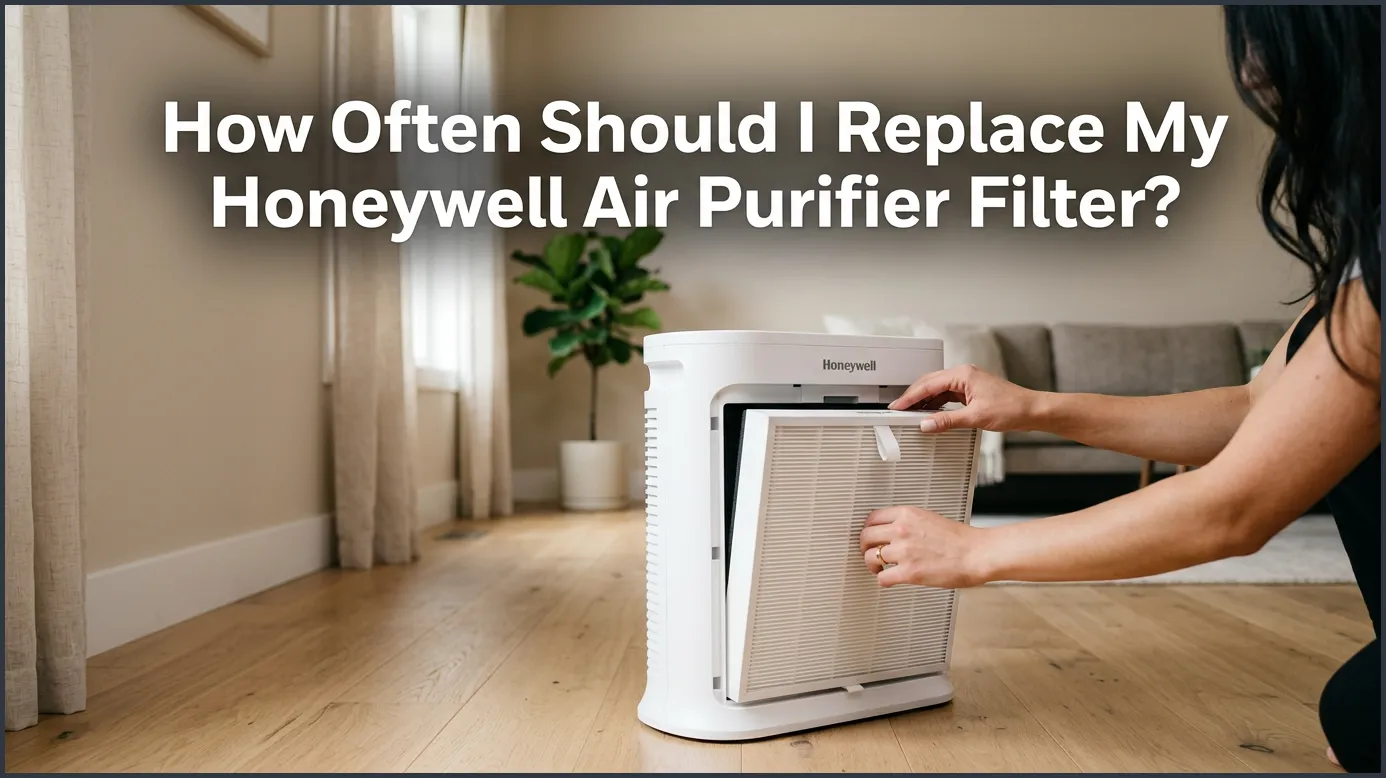
Honeywell True HEPA filters should be replaced every 12 months, while the carbon pre-filters need to be replaced every 3 months. If you have pets, allergies, or smokers in your home, you may need to swap your filters out more frequently. Always check your purifier’s filter indicator light for a helpful reminder.
Do you ever look at your air purifier and wonder what is happening inside? It sits quietly in the corner of your living room or bedroom. Day and night, it hums along, catching microscopic dust bunnies, pollen, and pet dander. It makes your indoor air fresh and easy to breathe. But like any hard-working machine, it needs regular maintenance to keep doing its job.
You might find yourself asking, how often should I replace my Honeywell air purifier filter? It is a common question for anyone who wants to keep their home healthy. Changing the filters on time is the single most important thing you can do for your device. If you wait too long, your air purifier will stop working well, and your air quality will drop.
In this complete guide, we will explore everything you need to know about your Honeywell filters. We will look at the different types of filters inside your machine. We will also discuss the standard timelines, signs of wear, and how to change them step-by-step. Let’s dive in and learn how to keep your home’s air as clean as possible.
Key Takeaways
- HEPA Filter Lifespan: True HEPA filters generally last up to 12 months under normal household conditions.
- Pre-Filter Lifespan: Odor-reducing pre-filters (Type A) need to be replaced every 3 months.
- Indicator Lights: Honeywell purifiers feature filter check lights that monitor run time to alert you when it is time to change.
- Environmental Factors: Homes with pets, smokers, or heavy dust will require more frequent filter changes.
- No Washing HEPA: Never wash Honeywell HEPA filters; they must be replaced, though some pre-filters can be vacuumed.
- Genuine Replacements: Using certified Honeywell filters ensures your machine runs efficiently and maintains its warranty.
📑 Table of Contents
- Understanding Your Honeywell Air Purifier Filters
- The Standard Replacement Timeline for Honeywell Filters
- Signs Your Honeywell Filter Needs Immediate Replacement
- Factors That Affect Your Filter’s Lifespan
- How to Clean vs. When to Replace Your Filters
- Step-by-Step Guide: How to Replace Your Honeywell Filter
- Conclusion
Understanding Your Honeywell Air Purifier Filters
Honeywell air purifiers are famous for their multi-stage cleaning systems. They do not just use one simple filter. Instead, they use a team of filters to clean the air. To know when to replace them, you first need to know what they are and what they do.
True HEPA Filters (Type R, Type G, and More)
The star of the show is the True HEPA filter. This filter is thick, white, and made of tightly woven fibers. It is designed to catch the smallest particles in your air. In fact, it traps 99.97% of airborne particles as small as 0.3 microns. This includes pollen, mold spores, fine dust, and pet dander. Because these particles are so tiny, they eventually fill up the microscopic pathways in the filter. When this happens, the filter becomes clogged and must be replaced.
Activated Carbon Pre-Filters (Type A and Type B)
Before air ever reaches your HEPA filter, it has to pass through the pre-filter. This is a thin, black sheet that sits right in front of the HEPA filter. It has two main jobs. First, it catches large particles like lint, hair, and dust bunnies. This stops the HEPA filter from getting clogged too quickly. Second, it is coated with activated carbon. This carbon layer absorbs household odors, gases, and smoke. If you cook with strong spices or have pets, this is the filter that keeps your home smelling fresh.
The Standard Replacement Timeline for Honeywell Filters
To keep your home’s air fresh, you should follow a regular schedule. The good news is that Honeywell filters are built to last. When thinking about how often should I replace my Honeywell air purifier filter, the calendar is your best friend. However, the exact timing depends on the type of filter you are replacing. You can find these details in the official product manuals for Honeywell HEPA air purifiers.
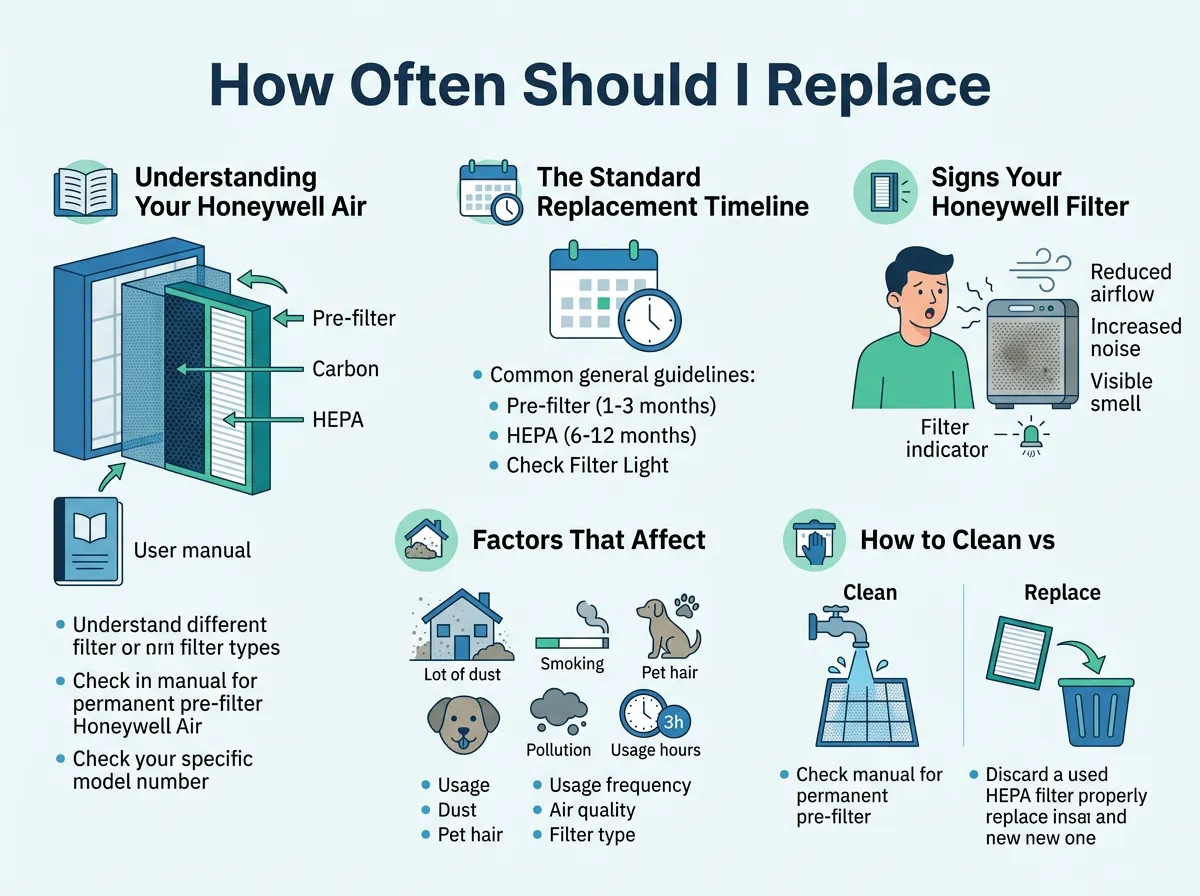
How Often Should I Replace My Honeywell Air Purifier Filter? — key points at a glance
When to Swap Your HEPA Filter
As a general rule, you should replace your Honeywell True HEPA filter every 12 months. This 1-year lifespan is based on average daily use. If you run your machine on high all day and night, it might wear out a bit sooner. For most households, replacing the HEPA filter once a year is the perfect sweet spot. It ensures your machine runs efficiently without wasting money on premature replacements.
When to Swap Your Carbon Pre-Filter
Because the pre-filter is the first line of defense, it gets dirty much faster than the HEPA filter. It catches the big debris and absorbs daily smells. Therefore, you need to replace your Honeywell carbon pre-filter every 3 months. Changing this filter regularly is very important. A clean pre-filter lets air flow easily. This actually extends the life of your expensive HEPA filter.
Signs Your Honeywell Filter Needs Immediate Replacement
Sometimes, life gets busy. You might lose track of the months, or your home might get dirtier than usual. Luckily, your air purifier and the filters themselves will tell you when they need to be changed. Here are the top signs to watch out for.
The Filter Reset Light Is Glowing
Most Honeywell air purifiers have electronic filter indicators on the control panel. These lights do not actually inspect the filter’s dirtiness. Instead, they measure the total hours your machine has been running. When the machine reaches a set number of hours, the light will turn on. This is your cue to change the filters. It is a very helpful reminder that takes the guesswork out of maintenance.
Visible Dust Buildup and Discoloration
It is always a good idea to perform a quick visual check. Pull off the front grille of your air purifier. Is the black pre-filter covered in a thick, fuzzy layer of grey dust? If you look behind it, has the white HEPA filter turned dark grey or brown? If you see these changes, your filters are full. They can no longer trap any more particles. You should replace them immediately, even if your indicator light has not turned on yet.
Strange Odors or Weak Airflow
Your nose is a great tool for checking your air purifier. If you turn on the machine and smell a dusty, musty, or stale odor, your carbon pre-filter is likely saturated. This means the carbon has absorbed all the smells it can hold. Additionally, feel the air coming out of the top of the machine. If the airflow feels weak or sluggish, a clogged filter is blocking the air path. This puts extra strain on the motor and wastes electricity.
Factors That Affect Your Filter’s Lifespan
The 3-month and 12-month guidelines are great starting points. However, every home is unique. Several environmental factors can cause your filters to wear out much faster than normal.
Pets and Pet Dander
We love our pets, but they are tough on air purifiers. Dogs and cats shed fur and dander constantly. If you have multiple pets, your pre-filter will fill up with hair very quickly. Pet owners often need to change their pre-filters every 2 months to keep up with the excess hair and keep odors at bay.
Smoking, Cooking, and Wildfires
Smoke is made of very fine particles and strong gases. If anyone smokes inside your home, your filters will clog much faster. The same goes for heavy cooking, especially if you fry foods often. Furthermore, if you live in an area prone to wildfire smoke, your air purifier will work overtime. During heavy smoke events, you may need to replace your HEPA filter after just a few months of intense use.
Daily Runtime and Room Size
How many hours a day do you run your purifier? If you only turn it on for a few hours at night, your filters will last longer. If you run it 24/7 on high speed, they will wear out faster. Also, make sure your air purifier is sized correctly for your room. Using a small purifier in a huge room forces the machine to work too hard, which clogs the filter rapidly.
How to Clean vs. When to Replace Your Filters
It can be tempting to try to clean your filters to save a bit of money. While this is a smart instinct, you must be careful. Cleaning the wrong filter can permanently ruin it.
Can You Wash or Vacuum a Honeywell HEPA Filter?
The short answer is no. You should never wash or vacuum a Honeywell True HEPA filter. The fibers inside are incredibly delicate. If you use a vacuum on them, you can create tiny tears. These tears are invisible to the eye, but they allow dust and pollen to pass right through. Washing the HEPA filter with water will ruin the special paper-like material. Once a HEPA filter is dirty, it must be thrown away and replaced.
What About the Pre-Filter?
Some Honeywell models come with a washable pre-filter. However, standard carbon pre-filters are not washable. Water will wash away the active carbon that traps odors. If your pre-filter is just dusty but not yet 3 months old, you can gently run a vacuum brush attachment over it to remove large lint. This can help improve airflow. But remember, this does not restore the carbon’s odor-absorbing power. If you want to know more about keeping things tidy, read this guide on how to clean air purifier filters safely.
Step-by-Step Guide: How to Replace Your Honeywell Filter
Replacing the filters in your Honeywell air purifier is a quick project. You do not need any special tools, and the whole process takes less than five minutes. Here is how to do it safely.
1. Power Off and Open the Grille
First, turn off your air purifier. Unplug it from the wall outlet for safety. Locate the front grille or cover of your machine. Most Honeywell models have simple release tabs on the sides or top. Press these tabs and gently pull the cover toward you. Set the cover aside.
2. Remove and Discard the Old Filters
Carefully pull out the old filters. Because they are full of dust, do this slowly. It is a good idea to have a trash bag right next to you. Place the old filters directly into the bag to prevent dust from flying back into your clean room.
3. Install the New Filters
Take your new Honeywell filters out of their boxes. Crucial step: make sure to remove any plastic wrapping from the new filters before putting them in! Many people forget this step, which stops the machine from cleaning the air. Put the HEPA filter in first. Look for the arrows on the filter frame. They should point toward the inside of the air purifier. Next, place the black pre-filter on top of the HEPA filter. Secure it under the plastic tabs, then snap the front grille back into place.
4. Reset the Indicator Light
Plug the unit back in and turn it on. You will notice that the filter check light is still glowing. You must reset the internal timer manually. Press and hold the filter reset button for about 3 to 5 seconds. You will hear a beep, or the light will flash and turn off. Now, your machine is ready for another round of cleaning! For specific models, you can always visit the official support page for help.
Conclusion
Keeping your home’s air clean does not have to be difficult. By knowing how often to change your filters, you can enjoy fresh air all year long. Just remember the simple rule of thumb: change your pre-filter every 3 months and your True HEPA filter every 12 months. Keep an eye on your indicator lights, check for dust buildup, and always remove the plastic wrap from your new filters. Your lungs and your Honeywell air purifier will thank you!
Frequently Asked Questions
How often should I change my Honeywell HEPA filter?
You should replace your Honeywell True HEPA filter every 12 months. If you live in a dusty area, run your purifier constantly, or have pets, you might need to change it sooner. Always inspect the filter visually if you notice reduced airflow.
Can I wash my Honeywell HEPA filter to reuse it?
No, you cannot wash or vacuum a Honeywell True HEPA filter. Washing it will destroy the delicate fibers that trap microscopic particles, rendering it useless. You must replace it with a new, certified Honeywell filter.
How often should the carbon pre-filter be replaced?
The carbon pre-filter should be replaced every 3 months. This filter catches large dust particles and absorbs household odors, so it gets dirty much faster than the main HEPA filter. Regular replacement also protects your HEPA filter from premature clogging.
Why is my Honeywell filter light still on after changing the filter?
The filter light does not automatically know when you put in a new filter. You must reset the indicator manually by pressing and holding the filter reset button for 3 to 5 seconds. The light will flash or beep and then turn off.
What happens if I do not change my Honeywell air purifier filters?
If you do not change your filters, they will become completely clogged with dust and debris. This reduces the purifier’s ability to clean your air, slows down airflow, and puts extra stress on the motor. Over time, it can cause the machine to overheat or break.
Should I remove the plastic wrap from my new Honeywell filter?
Yes, you must always remove the plastic packaging from your new filters before installing them. Leaving the plastic wrap on will block all airflow through the machine, which can damage the motor and prevent any air cleaning from happening.
