


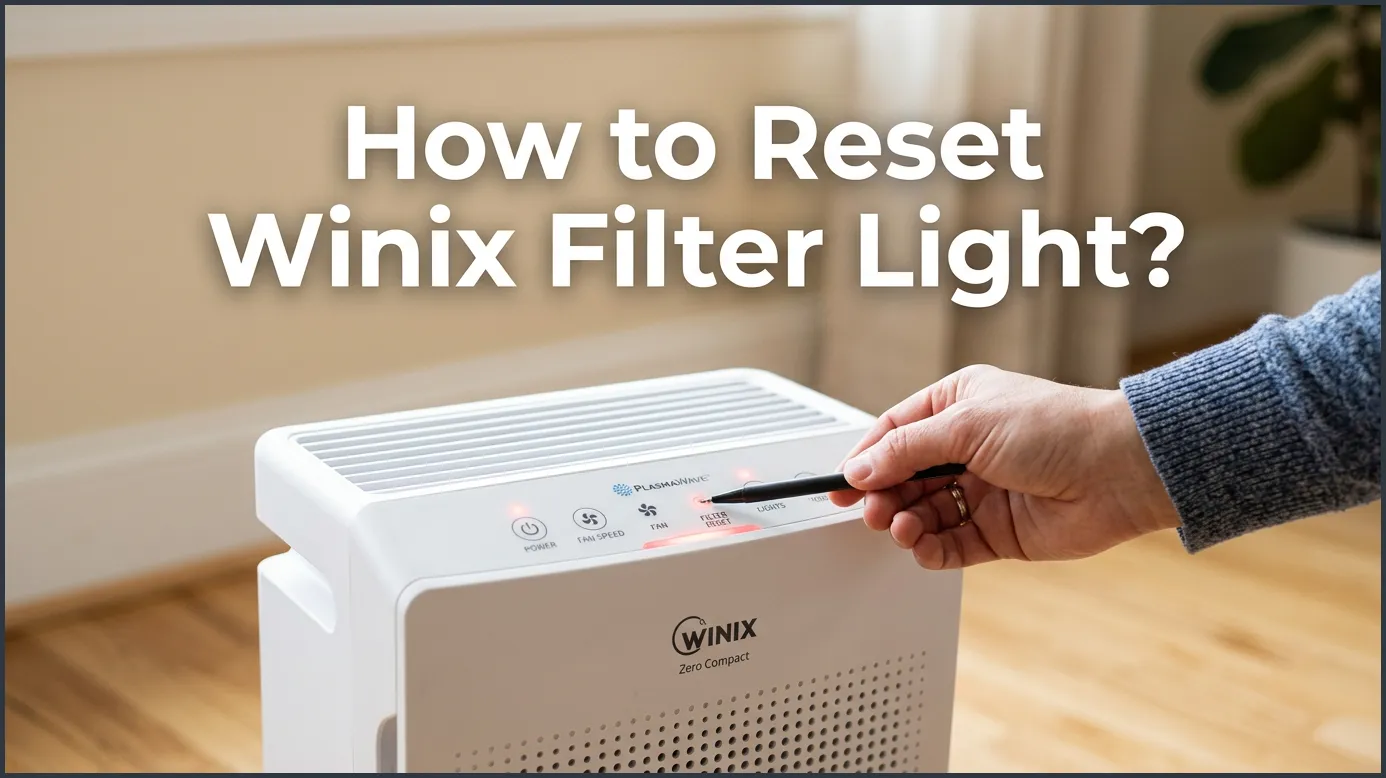
To reset your Winix filter light, locate the small, recessed “Reset” button on the control panel of your air purifier. After replacing your filters, use a thin object like a paperclip or toothpick to press and hold this button for 3 to 5 seconds. You will hear a beep, and the red light will turn off, indicating a successful reset.
You love your home. You love the fresh, clean air that your Winix air purifier provides. It quietly hums in the corner, keeping dust, pollen, and pet dander out of your living space. But one day, you walk into the room and notice a bright red glow on the control panel. The filter change light has turned on.
This little red light can cause a bit of panic. Does it mean your air is dirty? Is the machine broken? Do not worry at all. This light is simply a friendly reminder from your machine. It is telling you that it is time to refresh your filters. Once you swap the old filters for new ones, you might find yourself asking, How to Reset Winix Filter Light?
In this guide, we will show you exactly How to Reset Winix Filter Light? in just a few simple steps. We will cover the tools you need, how to find the hidden button, and what to do if the light refuses to turn off. Let us get your air purifier back to peak performance.
Key Takeaways
- Find the Reset Button: The reset button is a tiny, pinhole-sized slot located on the main control panel.
- Use the Right Tool: You will need a small, thin tool like a paperclip, toothpick, or hairpin to press the button.
- Hold for 5 Seconds: Press and hold the button for 3 to 5 seconds until you hear a chime or beep.
- Change Filters First: Always replace your True HEPA and carbon filters before resetting the light to maintain air quality.
- Clean the Sensors: Sometimes a persistent red light means the smart sensors or pre-filter need a quick cleaning.
- Model Variations: While most Winix models use the pinhole button, some may require holding a combination of buttons.
📑 Table of Contents
Why Does the Winix Filter Light Turn Red?
Before we press any buttons, it helps to understand why this light turns on in the first place. Your Winix air purifier has a built-in timer. This timer counts the hours that the machine has been running. In most cases, the light will turn red after about 12 months of normal use, or around 8,600 hours.
It is important to know that the machine does not actually look at your filter to see if it is dirty. It does not measure the dust levels on the paper. It simply keeps track of time. For a deeper look into this process, understanding what your Winix air purifier red light means can help you feel more confident about your machine’s health.
Even if you live in a very clean home and the filter still looks white, the light will turn on when the timer runs out. Conversely, if you live in a home with many pets or smokers, your filter might get dirty before the light comes on. Always trust your eyes first, but use the light as your primary backup plan.
Step-by-Step: How to Reset Winix Filter Light?
Once you have purchased and installed your replacement filters, it is time to clear that red warning light. Here is the standard method that works for almost every Winix model on the market, including the popular 5500-2 and C535 models.
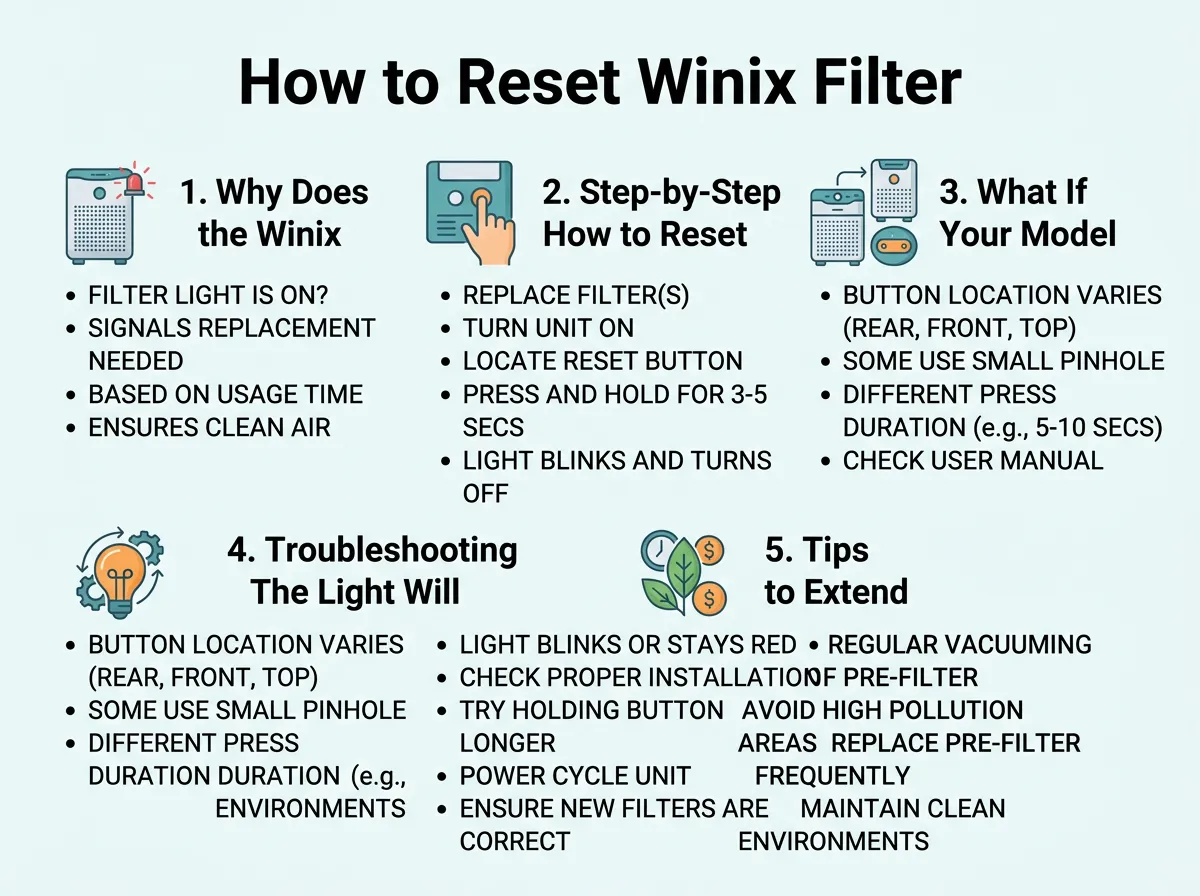
How to Reset Winix Filter Light? — key points at a glance
Step 1: Keep the Power On
Make sure your air purifier is plugged in and turned on. Many people try to reset the machine while it is turned off. The internal computer needs to be active to register the reset command. Leave the fan running on any speed setting.
Step 2: Find the Reset Button
Look closely at the control panel. You will not see a normal, raised button that says “Reset.” Instead, you will see the word “Reset” printed next to a tiny, recessed hole. This design prevents you from accidentally resetting the timer during normal daily use. Knowing How to Reset Winix Filter Light? requires finding this tiny slot first.
Step 3: Grab a Pinhole Tool
Because the button is hidden inside a tiny hole, your finger will not be able to reach it. You will need a small, thin object. Excellent household items for this job include:
- A metal paperclip (unbent)
- A wooden or plastic toothpick
- A sewing needle or pin
- A small hairpin
Step 4: Press and Hold
When looking at How to Reset Winix Filter Light?, the actual holding of the button is the most important part. Gently insert your tool into the reset hole. You will feel a tiny click when you touch the button. Push down and hold it. Keep holding for 3 to 5 seconds.
Step 5: Listen for the Beep
While you are holding the button, keep your ears open. After a few seconds, the machine will emit a pleasant chime or a sharp beep. At the exact same time, the red filter light will blink and then turn off completely. You can now remove your tool. Your timer is reset to zero, and you are ready for another year of clean air!
What If Your Model Does Not Have a Pinhole?
While the pinhole design is very common, some Winix models are slightly different. If you have a newer smart model or a touch-panel unit, you might not see a tiny hole. Do not worry. The steps are still very simple.
On some models, the reset function is built into one of the existing touch buttons. For example, you may need to press and hold the “Power” button or the “Mode” button for 5 seconds. If you are unsure about your specific model, check your manual. You can easily view the Winix user manual online to find the exact button layout for your specific model number.
If you have an international model, there are some great guides available. You can learn more about how to reset your filter change light on specialized home appliance support pages. The main takeaway is that every model has a way to reset, so do not give up if the first try does not work.
Troubleshooting: The Light Will Not Reset
Sometimes, things do not go as planned. You push the paperclip into the hole, but the red light continues to stare back at you. If you still cannot figure out How to Reset Winix Filter Light?, try these simple troubleshooting steps.
Are you pressing hard enough?
Because the button is inside a hole, you might be missing the button itself. Sometimes your tool might slide off to the side of the internal switch. Gently wiggle the paperclip until you feel a distinct “click” sensation. Then hold it steady.
Are you holding it long enough?
A quick tap will not work. This is to prevent accidental resets. You must hold the button down for a full 5 seconds. Count slowly in your head: one-one-thousand, two-one-thousand, and so on, until you hear the chime.
Unplug the unit
If the system feels frozen, try a hard reset. Unplug your Winix air purifier from the wall outlet. Wait about two minutes to let the internal capacitors drain completely. Plug it back in, turn it on, and try the reset process again with your paperclip.
Tips to Extend the Life of Your Filters
Now that you know How to Reset Winix Filter Light?, let us look at some ways to make those expensive replacement filters last as long as possible. Keeping your machine clean will save you money and keep your home smelling fresh.
Clean the Pre-Filter Every Two Weeks
Your Winix air purifier has a mesh pre-filter on the very front. This mesh catches large particles like pet hair, carpet fibers, and large dust bunnies. If this mesh gets clogged, your machine has to work much harder. Pull off the front panel, remove the pre-filter, and vacuum it or wash it with warm water. Make sure it is completely dry before putting it back inside.
Keep the Smart Sensors Clean
Winix machines have smart sensors on the side. These sensors “smell” the air to detect dust and gas. If the sensor lens gets dirty, the machine might think your air is dirty all the time. Open the sensor cover on the side of the unit. Use a damp cotton swab to gently wipe the lens, then dry it with a dry swab. Doing this every few months keeps your machine running smart.
Conclusion
Maintaining clean indoor air does not have to be complicated. Now you know How to Reset Winix Filter Light? in just a few seconds using a simple household paperclip. By replacing your filters on time and resetting the machine’s internal timer, you ensure that your family always breathes the cleanest air possible. Keep your pre-filter clean, wipe down the sensors occasionally, and enjoy the peace of mind that comes with a healthy, fresh home!
Frequently Asked Questions
Why is my Winix filter light still red after changing the filter?
The light does not turn off automatically when you put in new filters. You must manually reset the system by holding the recessed reset button with a paperclip for 5 seconds until you hear a beep.
Can I clean my Winix HEPA filter instead of replacing it?
No, True HEPA filters cannot be washed or vacuumed clean. Attempting to wash them will ruin the delicate fibers and destroy their ability to trap microscopic allergens, so you must replace them.
Where is the reset button on a Winix air purifier?
The reset button is located on the main control panel, usually next to the red filter light. It is a tiny, recessed pinhole designed to prevent accidental pressing.
What tool should I use to press the Winix reset button?
You should use a thin, sturdy object that can easily fit inside the pinhole. An unbent metal paperclip, a wooden toothpick, or a sewing needle works perfectly for this task.
Does the Winix filter light turn red based on how dirty the air is?
No, the light is based purely on a timer that measures running hours. It typically turns red after 12 months of use to remind you to check and replace your filters.
How often do I need to replace my Winix carbon filter?
The activated carbon pre-filter should generally be replaced every 3 months to maintain effective odor control. The True HEPA filter, on the other hand, lasts for a full year.
