


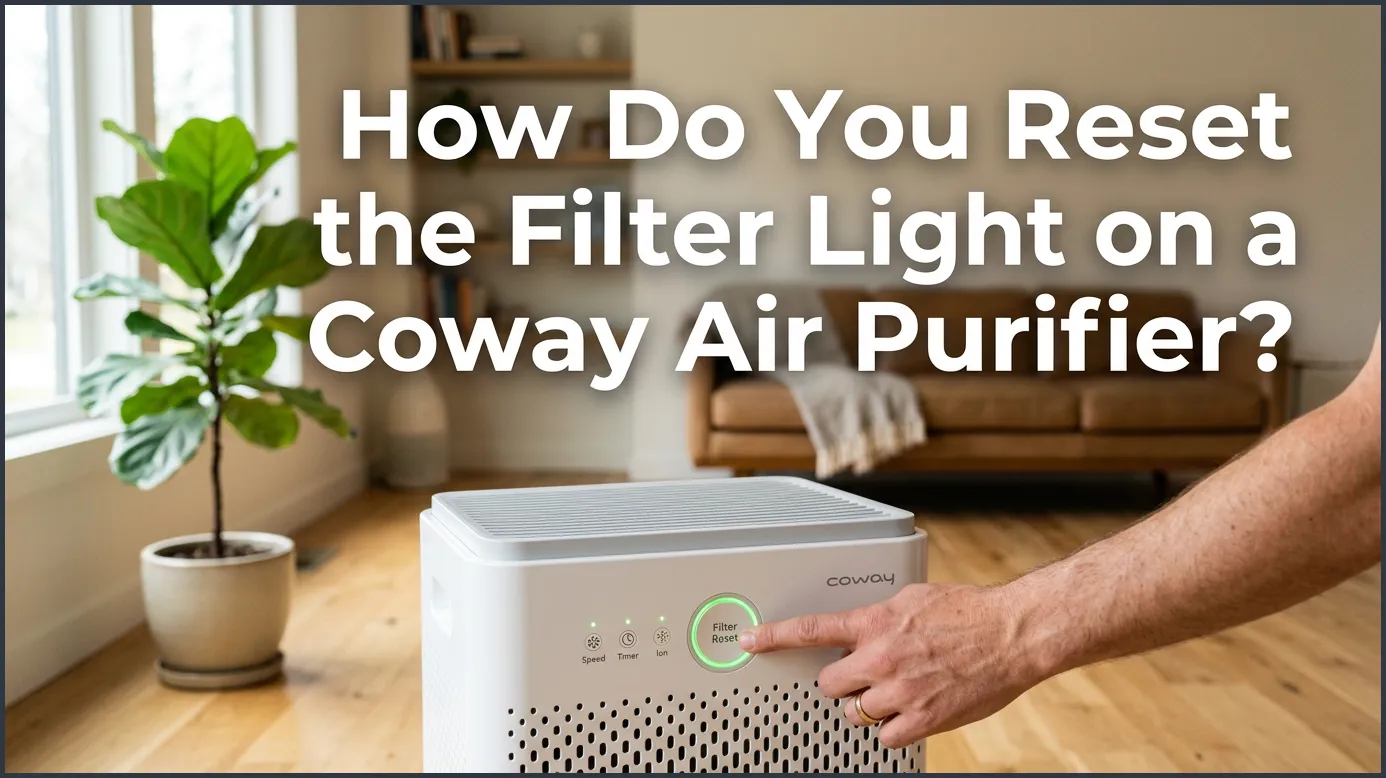
To reset the filter light on a Coway air purifier, press and hold the physical or touch-sensitive “Filter Reset” button for 2 to 4 seconds until you hear a beep. On older models like the Mighty, you will need a small paperclip to press the recessed button inside the pinhole. On newer Airmega models, simply touch and hold the designated filter reset key on the control panel.
You come home after a long day. You want to relax and enjoy your cozy home. You step inside, take a deep breath, and look at your air purifier. Suddenly, you spot it. A bright, glowing red light is shining on your sleek Coway unit. It is the dreaded filter alert light. It can be quite annoying when you just want a quiet, clean space to unwind.
Do not worry. This light does not mean your air purifier is broken. It is just your device trying to talk to you. It is a simple, friendly reminder that your filters need some love and care. But once you clean or change them, how do you make that little light go away?
In this guide, we will answer the big question: how do you reset the filter light on a Coway air purifier? We will cover the steps for the famous Coway Mighty, the modern Airmega series, and other popular models. We will also share easy tips to keep your machine in top shape for years to come.
Key Takeaways
- Find the Button: The reset button is either a touch-sensitive key or a tiny recessed pinhole on the top panel.
- Hold for a Beep: You must hold the reset button down for 2 to 4 seconds to successfully turn off the light.
- Model Differences: Classic Mighty models require a paperclip, while newer Airmega models use simple touch controls.
- Clean First: Always clean the pre-filter or replace the HEPA filter before resetting the light.
- Troubleshooting: If the light stays on, try a power cycle by unplugging the unit for two minutes.
📑 Table of Contents
Why Does the Coway Filter Light Turn On?
Before we press any buttons, let us talk about why this light turns on. Your Coway air purifier is smart, but it does not actually test how dirty your filters are. Instead, it uses a built-in timer. This timer counts the hours your machine has been running.
For most Coway models, the light turns on after about 8,000 hours of use. This is roughly once a year if you run it all day and night. The light is a helpful nudge to replace your True HEPA filter. Sometimes, the light turns on sooner to tell you to wash the dusty pre-filter.
Different lights can mean different things depending on your specific model. To understand what these colors and flashes mean, you can read this helpful guide on interpreting your Coway air purifier red light status. Knowing these signals helps you take perfect care of your home air.
Step-by-Step: Resetting the Coway AP-1512HH Mighty
The Coway AP-1512HH, often called the Mighty, is one of the most popular air purifiers in the world. It is small, strong, and highly reliable. But its reset button is hidden in a sneaky spot! If you just changed your filters, you might wonder: how do you reset the filter light on a Coway air purifier when there is no obvious button?
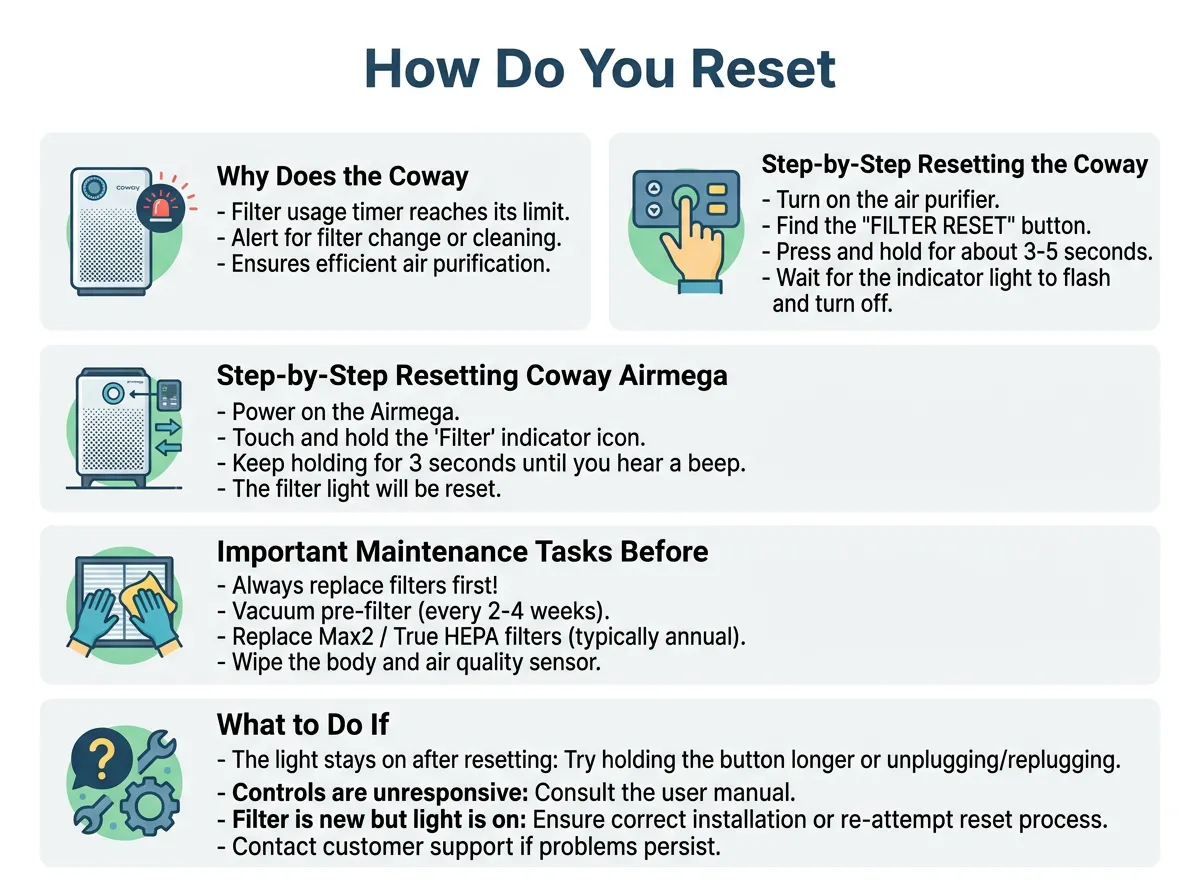
How Do You Reset the Filter Light on a Coway Air Purifier? — key points at a glance
Here is how you turn off that pesky light on your Mighty:
Step 1: Clean or Replace the Filters
Never reset the light without checking the filters first. If you just reset it without changing them, your air quality will drop. Make sure you put in fresh filters before you proceed.
Step 2: Turn on the Purifier
Make sure your Mighty is plugged in and turned on. The power light should be glowing brightly.
Step 3: Find the Recessed Reset Button
Look at the top control panel. You will see buttons for Speed, Ionizer, and Timer. Next to them, you will see two tiny holes labeled “Filter Reset.” One is for the Odor filter, and the other is for the HEPA filter.
Step 4: Use a Thin Tool
Because the buttons are deep inside the tiny holes, you cannot press them with your finger. You will need a small, thin tool. A metal paperclip, a toothpick, or a sewing needle works best.
Step 5: Press and Hold
Gently push your tool into the hole of the filter you just changed. Press down and hold it for about 2 to 3 seconds.
Step 6: Listen for the Beep
Keep holding until you hear a clear “beep” sound. The light will blink and then turn off. You are all done! If you want to read more about this classic model, you can check out the official Coway AP-1512HH product manual for extra details on setup and care.
Step-by-Step: Resetting Coway Airmega Models
If you own a newer Coway model, like the Airmega 150, 200, 230, 240, 300, or 400, the process is slightly different. These models do not have tiny pinholes. Instead, they use sleek, touch-sensitive buttons on top of the unit.
So, how do you reset the filter light on a Coway air purifier if it is an Airmega model? Let us look at the simple steps:
For the Airmega 150 and 200
These models have a single “Filter Reset” button on the top panel. To reset them, make sure the unit is on. Then, press and hold the “Filter Reset” button for about 3 seconds. The light will turn off, and the internal timer will reset to zero.
For the Airmega 300 and 400
These larger models are incredibly smart. They actually track two different filter lives: the Pre-Filter and the Max2 Filter. Because of this, they have two separate indicator lights on the panel.
To reset these models, find the filter reset button on the control panel. If you washed the pre-filter, press and hold the “Pre-filter” button for 2 seconds. If you changed the Max2 filter, press and hold the “Max2 Filter” button for 2 seconds. If you replaced both, you will need to hold each button down one after the other. You will hear a beep, and the lights will turn off. It is that simple!
Important Maintenance Tasks Before You Reset
It is very tempting to just reset the light and forget about it. We all get busy. But resetting the light without cleaning or changing your filters is not a good idea. Your air purifier will keep blowing air, but it will not actually clean your room.
Here is a quick checklist of what you should do before you press that reset button:
Vacuum or Wash the Pre-Filter
The pre-filter is the thin mesh screen on the very outside. It catches big things like pet hair, dust bunnies, and human hair. You should wash or vacuum this filter every 2 to 4 weeks. Best of all, this filter lasts forever! You never need to buy a new one unless it gets torn.
Replace the Activated Carbon Filter
This is the black, carbon-filled sheet. It is great at absorbing bad odors, smoke, and cooking gases. You should replace this filter once every 6 months to keep your home smelling sweet.
Replace the True HEPA Filter
This is the thick, white paper filter. It catches 99.97% of tiny dust particles, pollen, and mold spores. You must replace this filter once every 12 months to protect your lungs.
To keep your device in great shape, always practice proper air filter maintenance and care. This simple routine keeps your home smelling fresh and clean all year long.
What to Do If the Reset Light Won’t Turn Off
Sometimes, technology can be stubborn. You might hold down the button, but nothing happens. The bright light just keeps shining in your face. Do not panic! This is a common issue, and there are a few easy ways to fix it.
Here are a few quick tricks to try if you face this problem:
Try a Power Cycle
This is the classic tech fix. Unplug your Coway air purifier from the wall outlet. Wait for about two minutes. This lets the inner computer chip fully reset itself. Then, plug it back in, turn it on, and try the reset steps again.
Check Your Reset Tool
If you are using a pinhole button on the Mighty, your tool might not be hitting the switch inside. A toothpick can sometimes bend or break inside the hole. Try using a strong, metal paperclip. Push it straight down gently until you feel a soft click.
Ensure the Front Cover Is Closed Properly
Coway purifiers have a safety feature. If the front plastic cover is not fully clicked into place, the machine will not work right. Press the cover firmly on both sides until you hear a loud click. Once the cover is secure, try to reset the light again.
How to Keep Your Coway Running Perfectly
Your Coway air purifier is a great investment for your health. To get the most out of it, follow these three simple rules:
1. Place It in the Right Spot
Make sure your purifier has at least two feet of open space around all sides. Do not hide it behind a couch or in a tight corner. It needs to breathe to clean your room!
2. Keep It Running on Auto Mode
Coway has an amazing “Auto Mode” feature. It uses smart sensors to check your air quality. If the air is clean, it runs on low speed to save energy. If someone starts cooking or a pet runs by, it will speed up automatically.
3. Clean the Air Quality Sensor
On the side of your unit, you will find a small door. Inside is the dust sensor. Every two months, open this door and wipe the lens with a damp cotton swab. This ensures the sensor always reads your air correctly.
Conclusion
Cleaning your indoor air should not be a stressful task. Now you know the answer to the question: how do you reset the filter light on a Coway air purifier? Whether you have the classic Mighty or a sleek Airmega, the process takes less than a minute. Just change your filters, hold down the reset button for a few seconds, and wait for that happy beep. Your home will be filled with fresh, clean air once again. Enjoy the deep breaths!
Frequently Asked Questions
How often do I need to reset my Coway filter light?
You only need to reset the light after you have cleaned or replaced the filters. This usually happens once every 6 months for the carbon filter and once a year for the HEPA filter.
What happens if I reset the light without changing the filters?
If you reset the light without changing the filters, the timer will start over, but your air will not be cleaned. Dirty filters clog up and stop catching dust, pollen, and odors.
Can I wash the True HEPA filter on my Coway?
No, you should never wash the True HEPA filter with water because it will ruin the delicate fibers. Only the thin mesh pre-filter can be washed and reused.
Why is my Coway filter light blinking?
A blinking light usually means that the filter timer is very close to expiring, or the front cover is not fully closed. Check your filters and make sure the cover is securely clicked into place.
Does the Coway Mighty have a reset button for each filter?
Yes, the Coway AP-1512HH Mighty has two separate pinholes next to the lights on the control panel. One is for the Odor filter, and the other is for the HEPA filter.
Where is the reset button on the Coway Airmega 400?
The Airmega 400 has touch-sensitive buttons on the top control panel. You will see separate touch sensors labeled for the Pre-filter and the Max2 filter.
